Co-parenting with clear requests and recorded answers
DuoWeek is a co-parenting app for separated parents. The kids' schedule, shared costs and your messages sit in one place. Review proposed parenting-time changes and shared costs, and find the response alongside the details.
For iPhone, Android and the web.
Try a parenting schedule on paper
See who has each overnight, choose a starting date, and print a calendar to discuss together.
Sound familiar?
Another last-minute weekend swap. A school trip nobody remembers agreeing to pay for. And the only proof of what you said is a pile of screenshots.
DuoWeek keeps arrangements, requests and responses in one place, so you can check what is proposed and what has been agreed. It works whether you get along well or your co-parenting is high-conflict.
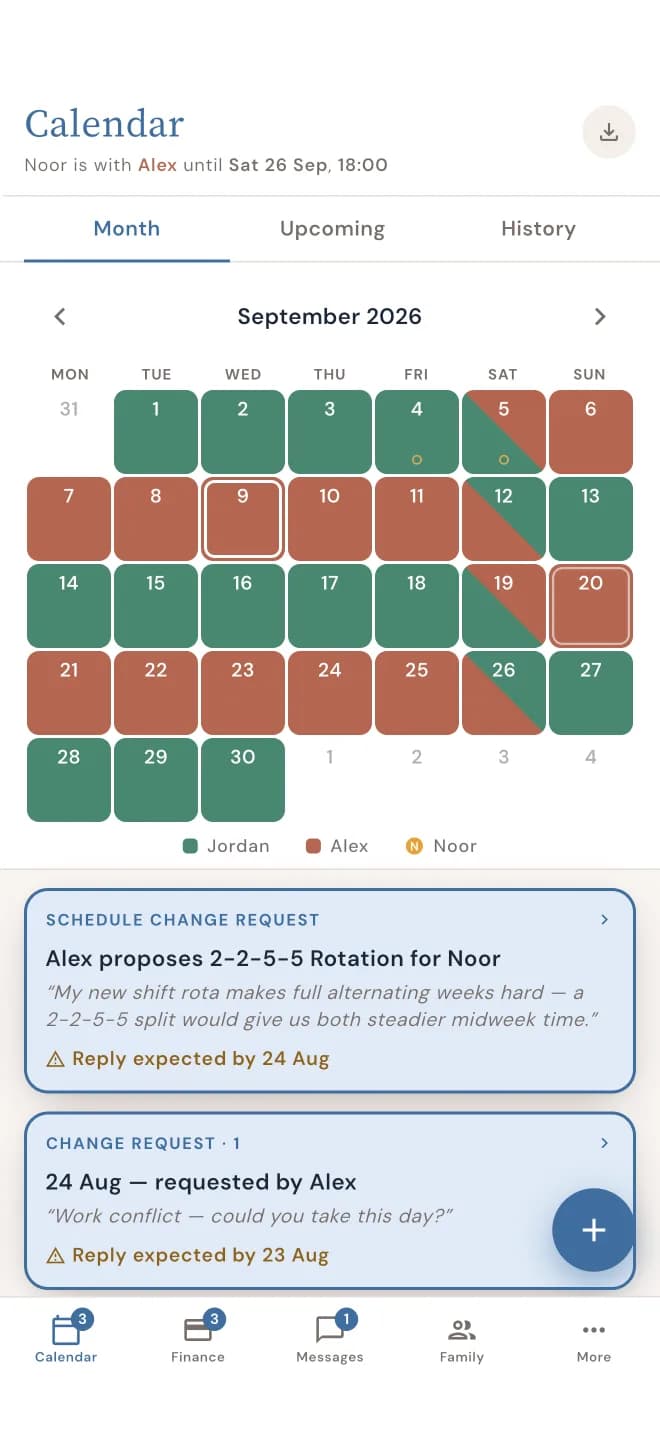
One schedule you both trust
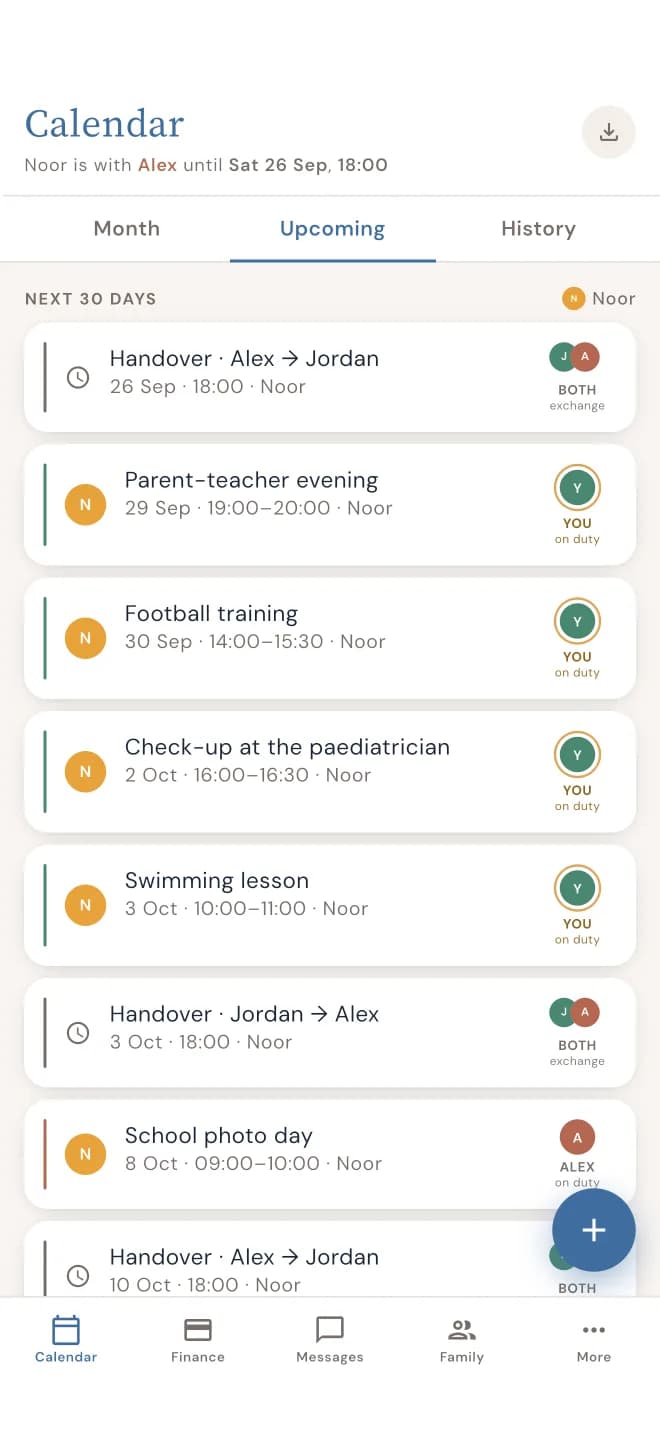
See whose days are whose at a glance, in one co-parenting calendar you both use. Need to swap a weekend? Send a proposal. The calendar only changes once the other parent says yes, and every answer is kept in History with the date.
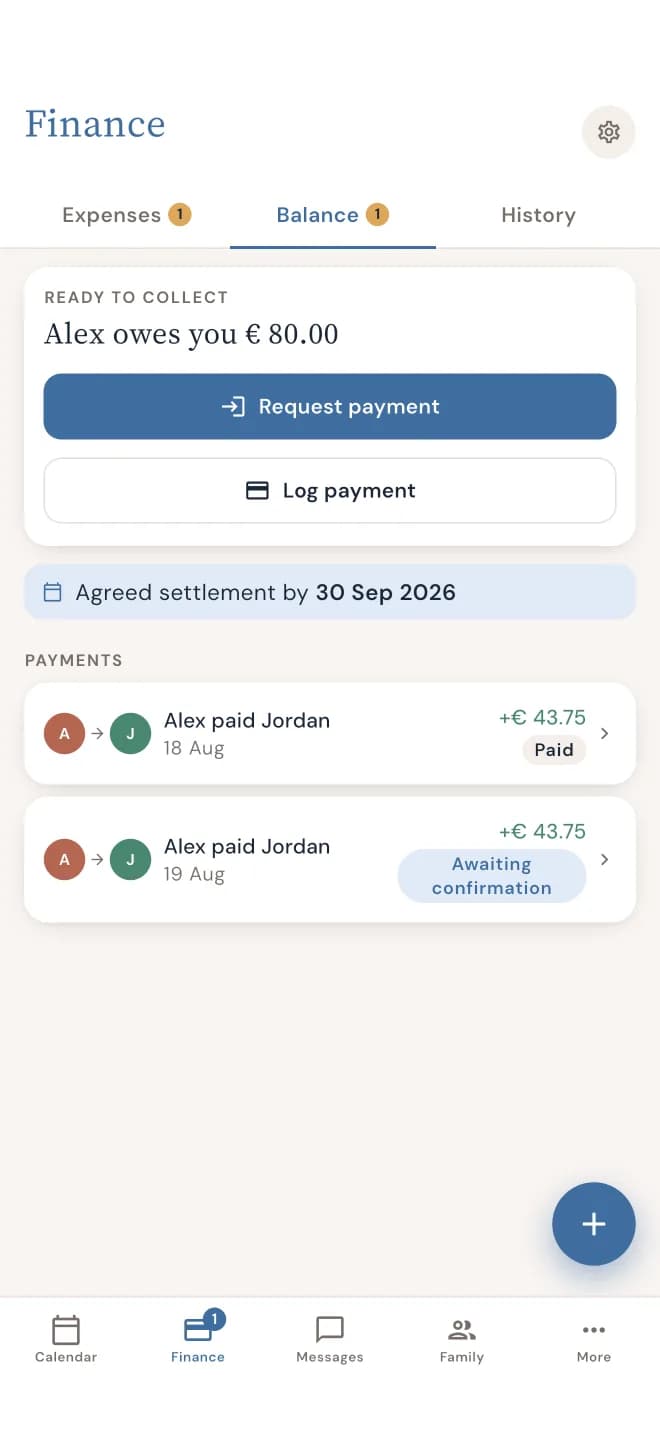
Costs, split the way you agreed
The dentist, new glasses, a school trip: record the amount, proposed split and a receipt if you have one. On an open expense proposal, the other parent can agree, decline with a reason or propose a different amount. Check the applicable rules and response deadline.

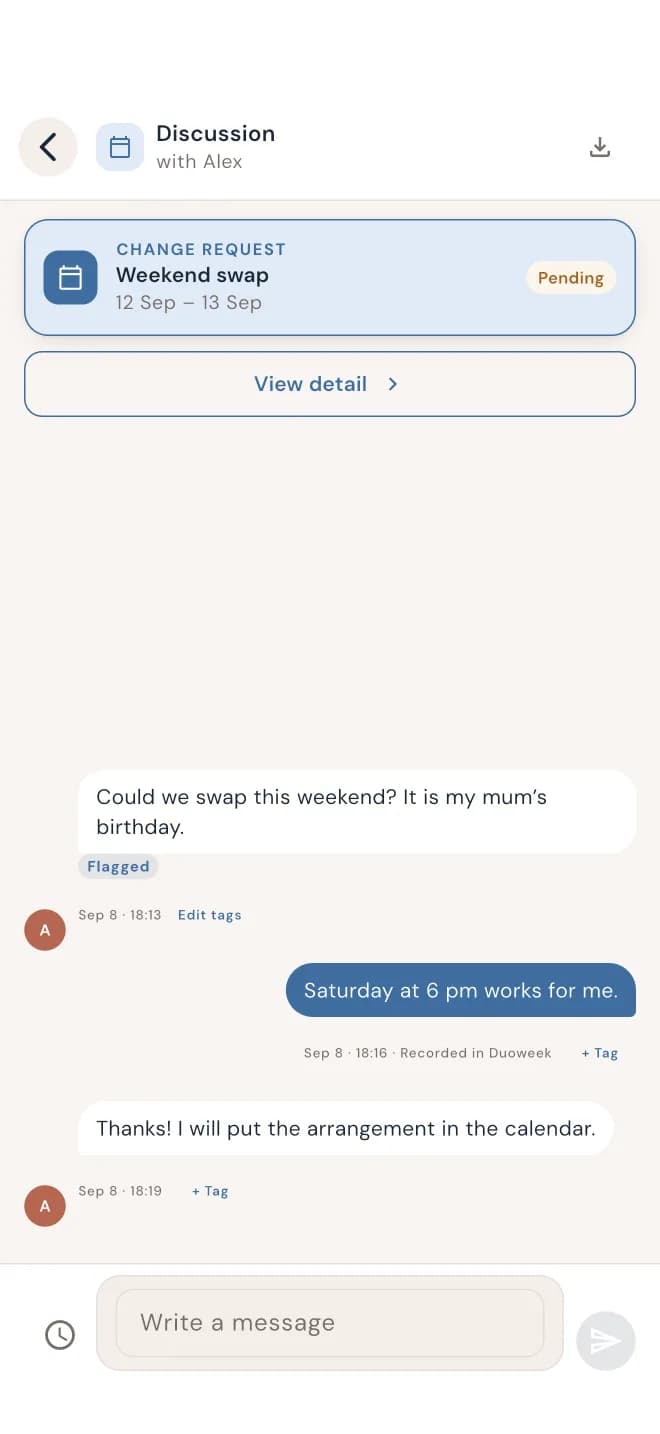
Messages that stay as they were sent
Keep your co-parenting communication in one place, with every conversation kept with its topic, from a weekend swap to a doctor's appointment. Once a message is sent, it can't be edited. And you can mark the messages that matter to you, so you can find them again.
Everything on record
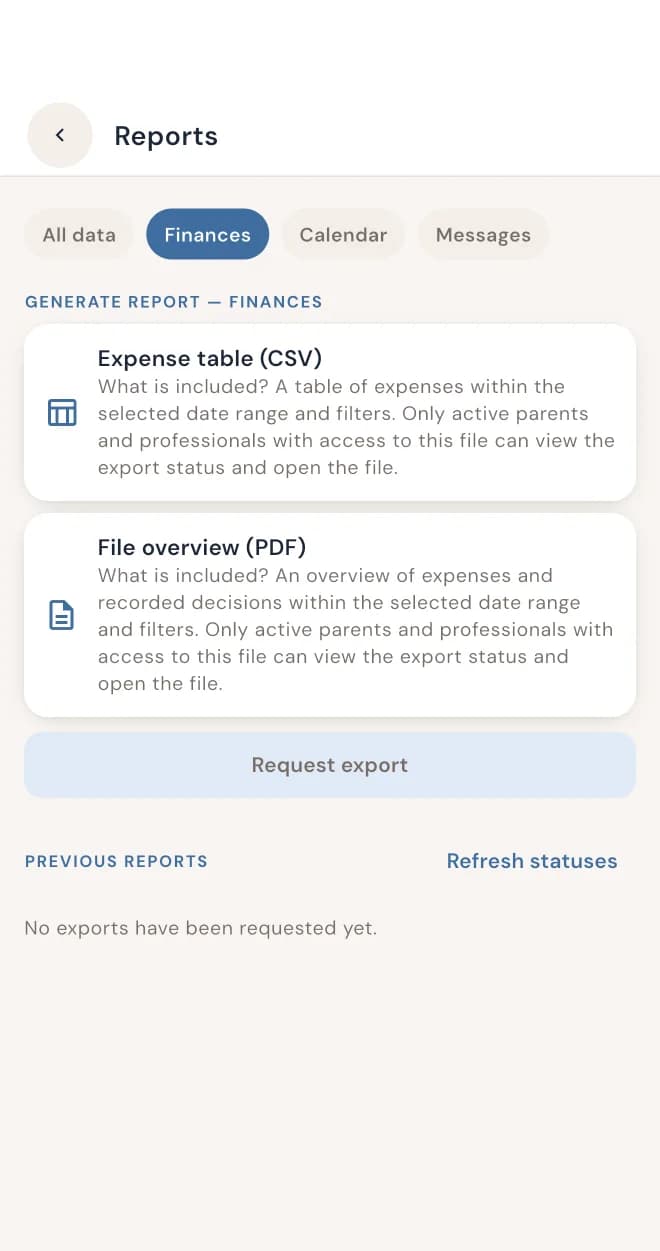
Every proposal, answer, payment and message keeps its date. When you need to show what was agreed, print a report of your schedule changes, costs and messages.
How it works
- 01
Download DuoWeek
On your iPhone, Android phone or computer.
- 02
Invite the other parent
You share one calendar, one list of costs and one place for messages.
- 03
Propose, agree, done
Review a parenting-schedule proposal and approve or decline it. An approved proposal updates the schedule. Expense requests follow their own displayed rules and deadlines.
Working with a mediator?
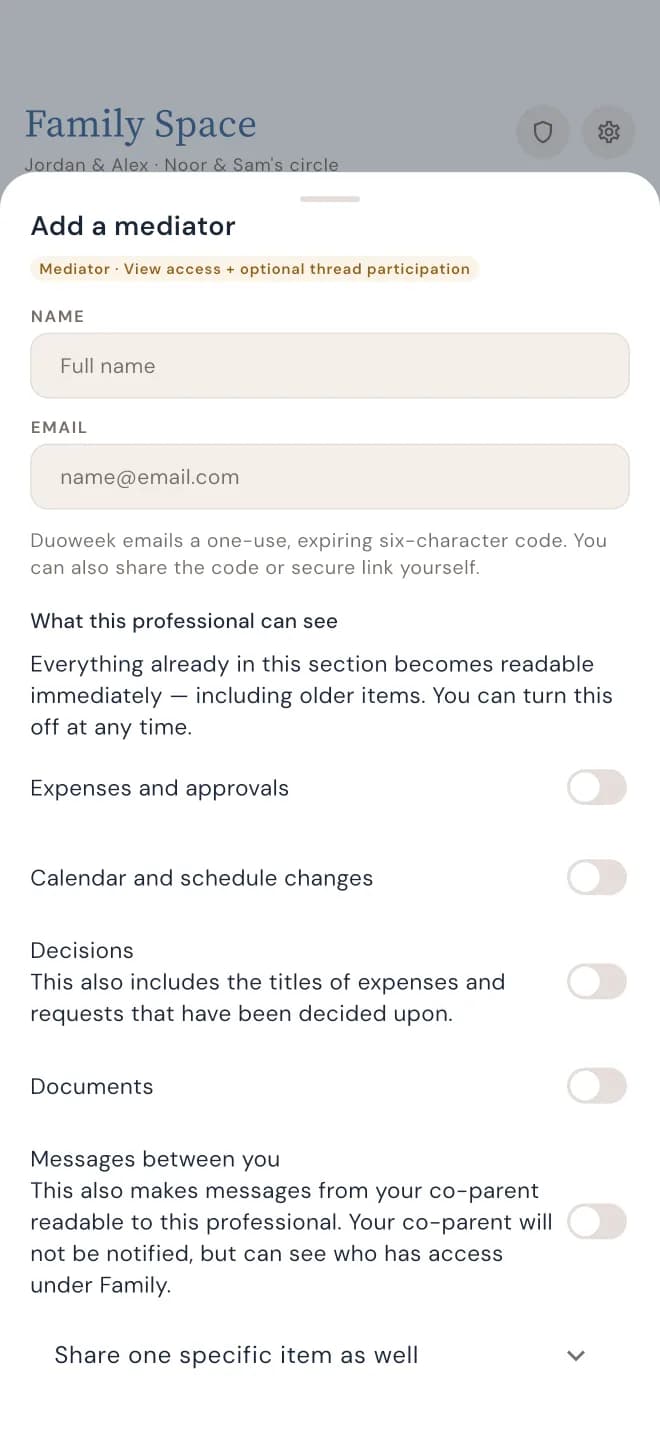
Invite your mediator into DuoWeek and decide exactly what they can see: the calendar, costs or messages. Nothing is shared unless you choose to, and you can withdraw access at any time. Prefer paper? Print a report and bring it along.
Questions parents ask
Which co-parenting app is best?
The best co-parenting app is the one you'll both use and that fits how you work together. DuoWeek suits parents who want to review proposed parenting-time changes and shared costs, with a dated history of the responses. If you're weighing up other apps, our side-by-side comparison shows how they differ.
Is DuoWeek court-approved?
No co-parenting app is approved by courts in general. A court or a mediator decides what they accept. DuoWeek keeps a dated record of what was proposed and agreed, which you can print and show. It doesn't give legal advice.
Does the other parent need the app too?
Yes. DuoWeek works between the two of you. You invite the other parent so each of you can check arrangements and respond to requests from your own account. They can use it on iPhone, Android or the web.
What if the other parent doesn't answer?
A pending parenting-schedule proposal does not replace the current schedule. Expenses have their own rules and deadlines; some configured rules allow an unanswered request to be accepted after its deadline. Ordinary calendar events can be added without approval unless approval is requested.
Can messages be changed afterwards?
No. Once a message is sent, neither of you can edit it.
Can I print what we agreed?
Yes. You can export and print your schedule changes, costs and messages as a PDF report.
Which languages is DuoWeek available in?
The app is available in 13 languages: English, Dutch, French, German, Spanish, Italian, Portuguese (Portugal and Brazil), Polish, Swedish, Danish, Finnish and Norwegian.