Your clients' agreements, dated and in one place
DuoWeek is a co-parenting app for separated parents, and for the mediators and family professionals who work with them. Every schedule change and every shared cost needs the other parent's OK, and each step keeps its date. When parents work with you, they can invite you into the app, or bring a printed report to your session.
How parents connect you
A parent invites you from the app with your name and e-mail address. You accept the invitation. From then on, you see what that parent chooses to share with you.
What mediator access includes
- Only the areas the parent chooses to share with you: the calendar, costs or messages.
- Nothing is shared by default. Each area stays closed until the parent switches it on.
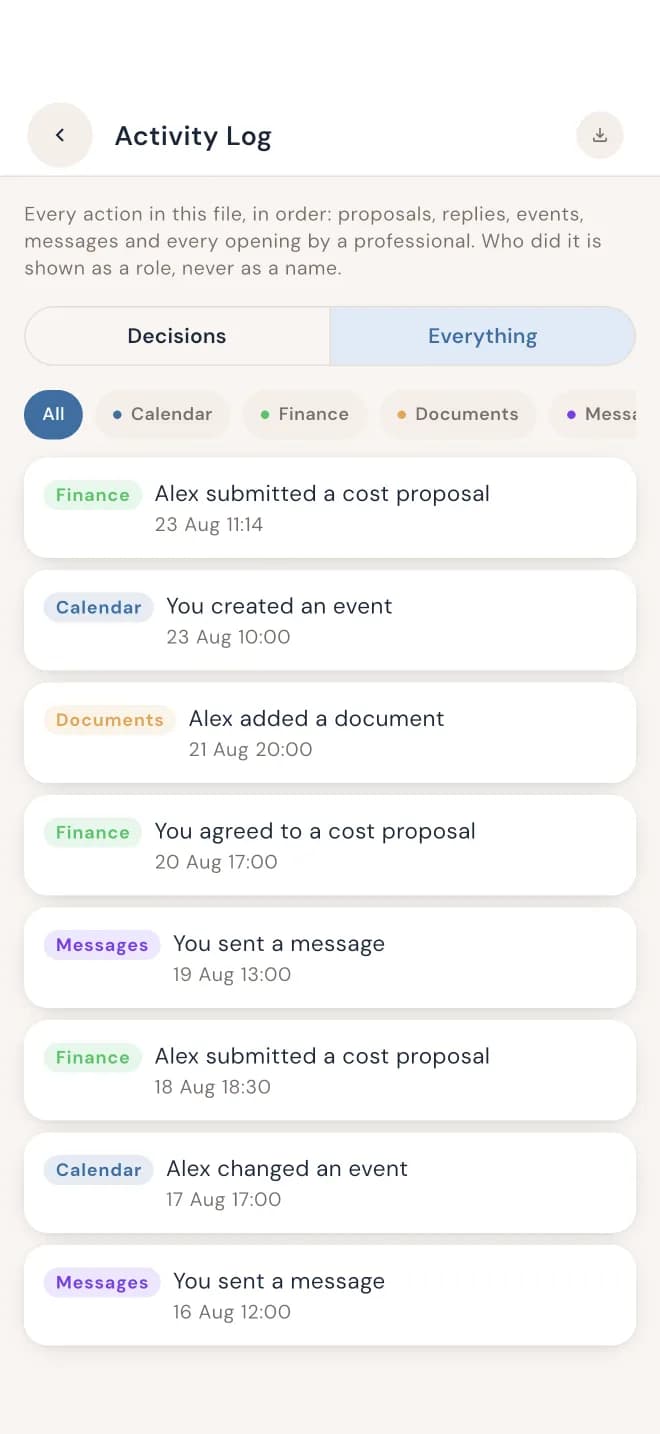
- Every time you open something, it's logged in the parent's Activity Log.
- The parent can withdraw access at any time.
So access stays parent-controlled: parents decide what they share, and can see when it was looked at.
What the history shows
In DuoWeek, parents don't just keep messages. They keep what they proposed and what the other parent answered.
- Schedule changes. Each proposal, the answer, who gave it and when.
- Costs. The amount, each parent's share, who paid, and when it was sent, agreed and paid.
- Messages. Kept with their topic, each with the time it was sent. Messages can't be edited once sent.
Reports parents can bring
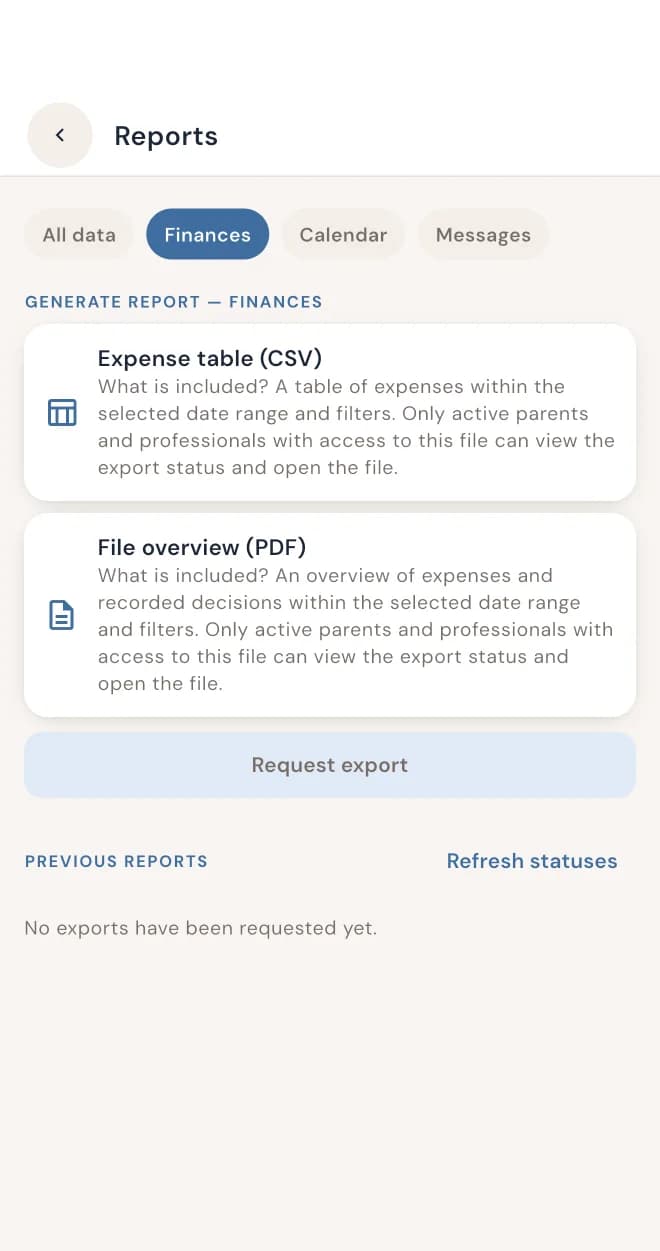
Parents can export and print a PDF report of their schedule changes, costs and messages for the period they choose. They can also export the calendar as a PDF, an iCal file or a CSV file. A report works for any professional a parent works with, whether that's a mediator, a family lawyer or a parenting coordinator.
That means less time reconstructing who said what, and more time on the conversation that matters.
What DuoWeek is, and isn't
DuoWeek records what parents enter, propose and agree, with dates. It doesn't give legal advice, and it doesn't decide what is fair or what the law requires. It doesn't promise how a record or report will be used in mediation or in court. Parents invite professionals by name and e-mail; DuoWeek doesn't check professional qualifications.
Questions from professionals
What can I see?
Only the areas a parent shares with you: the calendar, costs or messages. Nothing is visible until the parent switches an area on.
Who controls access?
The parent who invites you. They choose each area you can see, and every opening is logged in their Activity Log.
Can access be withdrawn?
Yes. The parent who invited you can withdraw access at any time.
Do both parents need to invite me?
No. Each parent decides for themselves what they share with you.
Can parents send me a report instead?
Yes. Parents can export and print a PDF report of their schedule changes, costs and messages, and bring it to your session.
Questions about working with DuoWeek?
Write to [email protected].
How DuoWeek handles privacy →Why every change needs both parents →
Recommending DuoWeek to parents? They can download it here: