Messages that stay exactly as they were sent
DuoWeek is a co-parenting messaging app: talk about the kids in one place, away from your other chats. Once a message is sent, it can't be edited, and each one shows when it was sent. So you both know what was said.
For iPhone, Android and the web.
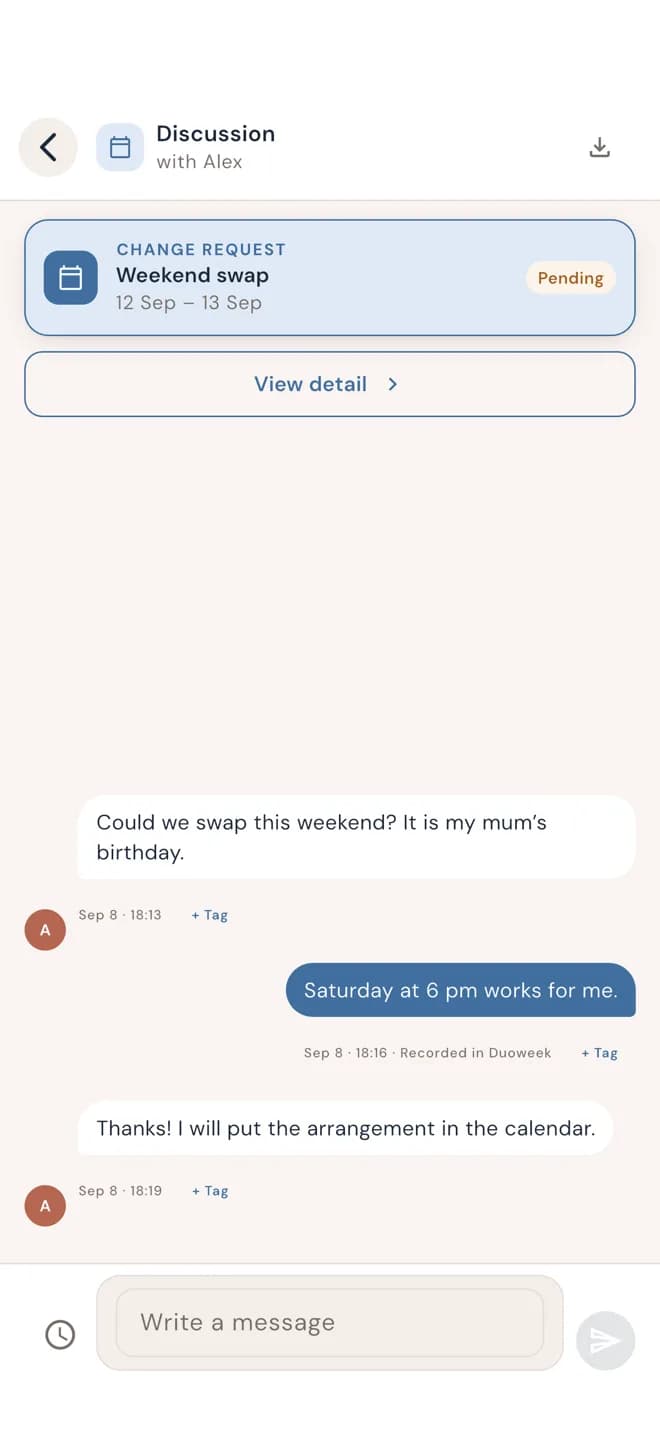
One topic, one conversation
Keep each conversation with what it's about: a weekend swap, a cost, school, the summer holidays. The messages about a swap sit right next to the swap itself.
So when you look for what was said about the school trip, you don't have to scroll through weeks of messages about everything else.
Messages can't be edited once sent
Once a message is sent, neither of you can edit it or delete it. Every message shows the date and time it was sent. No second versions, no "that's not what I wrote."
It also helps you write calmly. You know the message will stay as it is, so it's worth reading it once more before you send it. No screenshots needed to keep track of what was said.
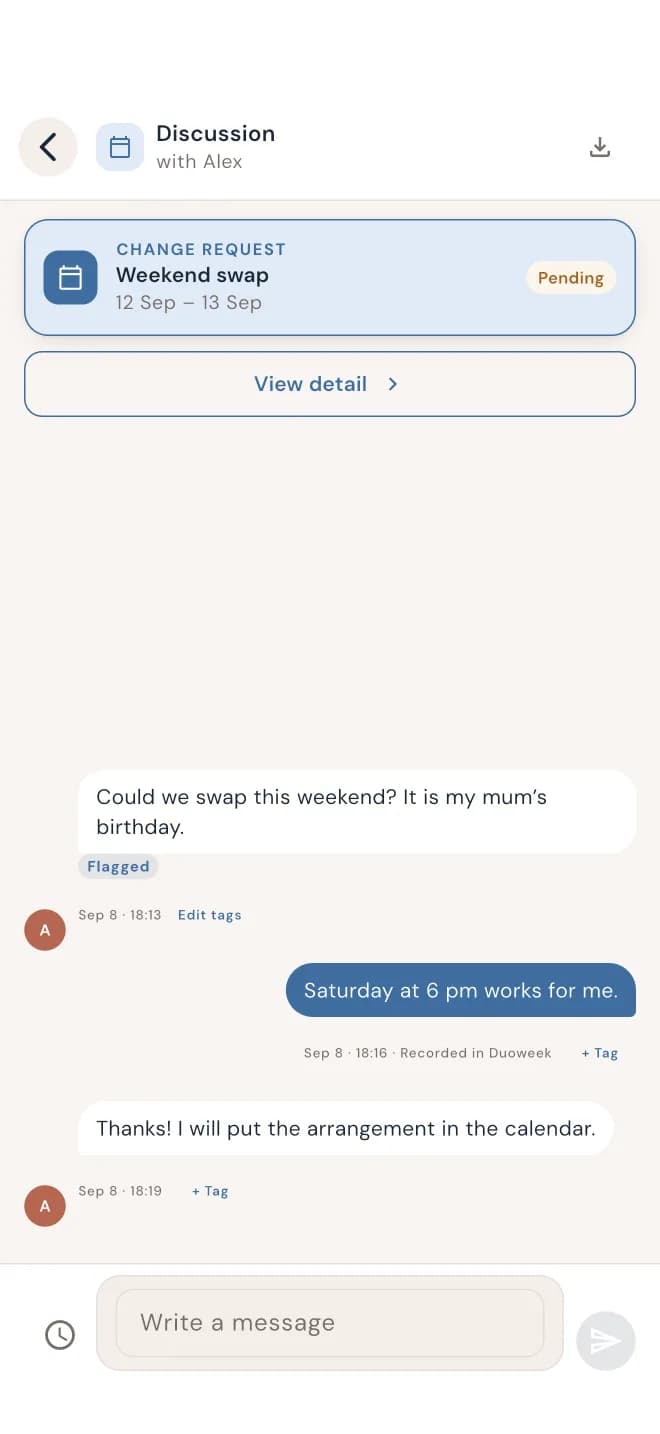
Mark what matters to you
Mark a message, for example as Flagged, so you can find it again later. Your marks are private. The other parent doesn't see them, your mediator doesn't see them, and they aren't included when you export or print.
Export and print your messages
Your messages are part of your history in DuoWeek. You can export and print them in a PDF report, together with your schedule changes and costs.
If you work with a mediator, you can also give them access to your messages in the app. Only if you choose to.
Questions parents ask
Can messages be edited or deleted?
No. Once a message is sent, neither of you can edit or delete it. Every message shows the date and time it was sent.
Can the other parent see my marks?
No. Only you see your marks. They aren't shared with the other parent or your mediator.
Can a mediator read our messages?
Only if you share them. Your mediator sees the messages area only when you switch it on, and you can withdraw access at any time.
Can I export messages?
Yes. Export and print them in a PDF report, together with your schedule changes and costs. Your private marks aren't included.
Do we both need DuoWeek to send messages?
Yes. You invite the other parent, and you talk to each other in the app, on iPhone, Android or the web.