Everything you agreed, dated and in one place
Screenshots and old texts are hard to find and easy to argue about. DuoWeek helps you document co-parenting as it happens: every proposal, answer, cost and message keeps its date. You find it again in History, and you can print it. So you can show what was agreed, when you need to.
For iPhone, Android and the web.
How to document co-parenting without the screenshots
Most parents document co-parenting the hard way: screenshots, old texts, receipts in a drawer and notes in a phone. The basics are simple. Keep agreements in writing, note when things were asked and answered, and keep costs with their receipts. DuoWeek does this as you go, because every step happens in the app and keeps its date.
What your co-parenting history holds
Schedule changes. Every swap and change, the answer, who gave it and when.
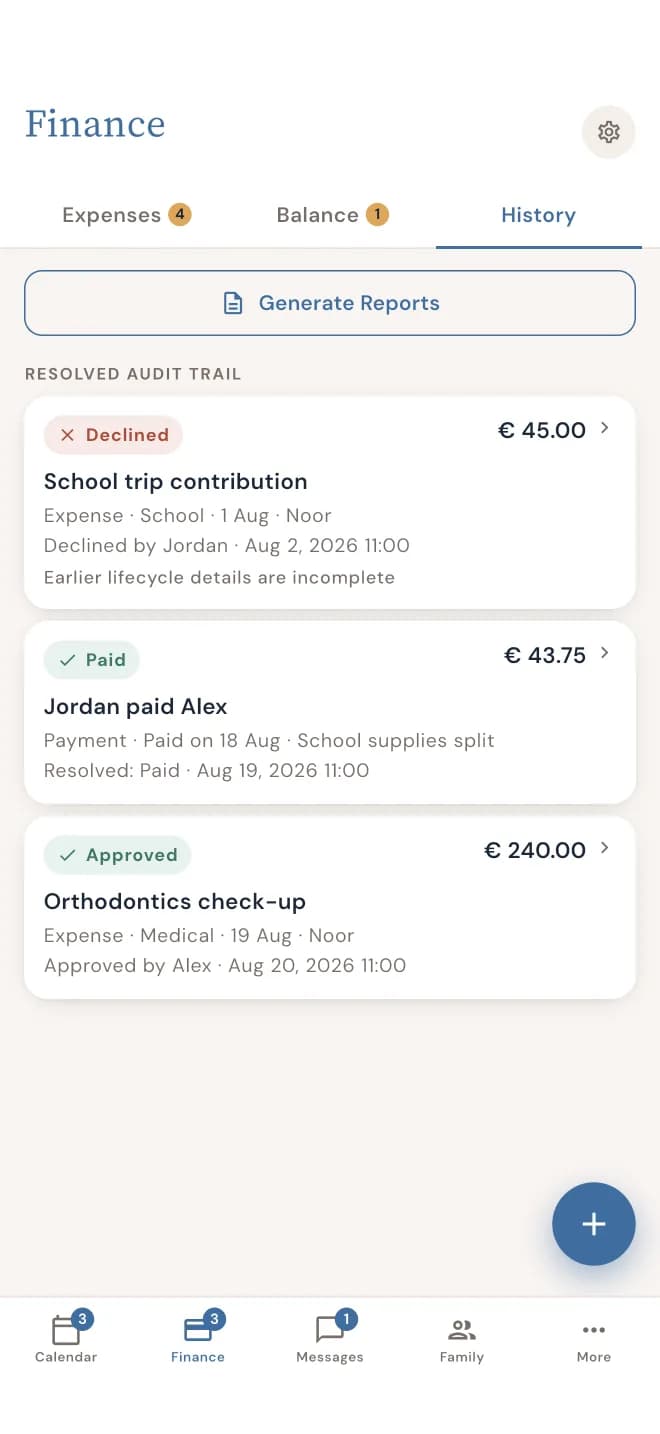
Costs and payments. What it cost, each parent's share, who paid, and when it was sent, agreed and paid.
Messages. Kept with their topic, each with the time it was sent, and unchanged since.
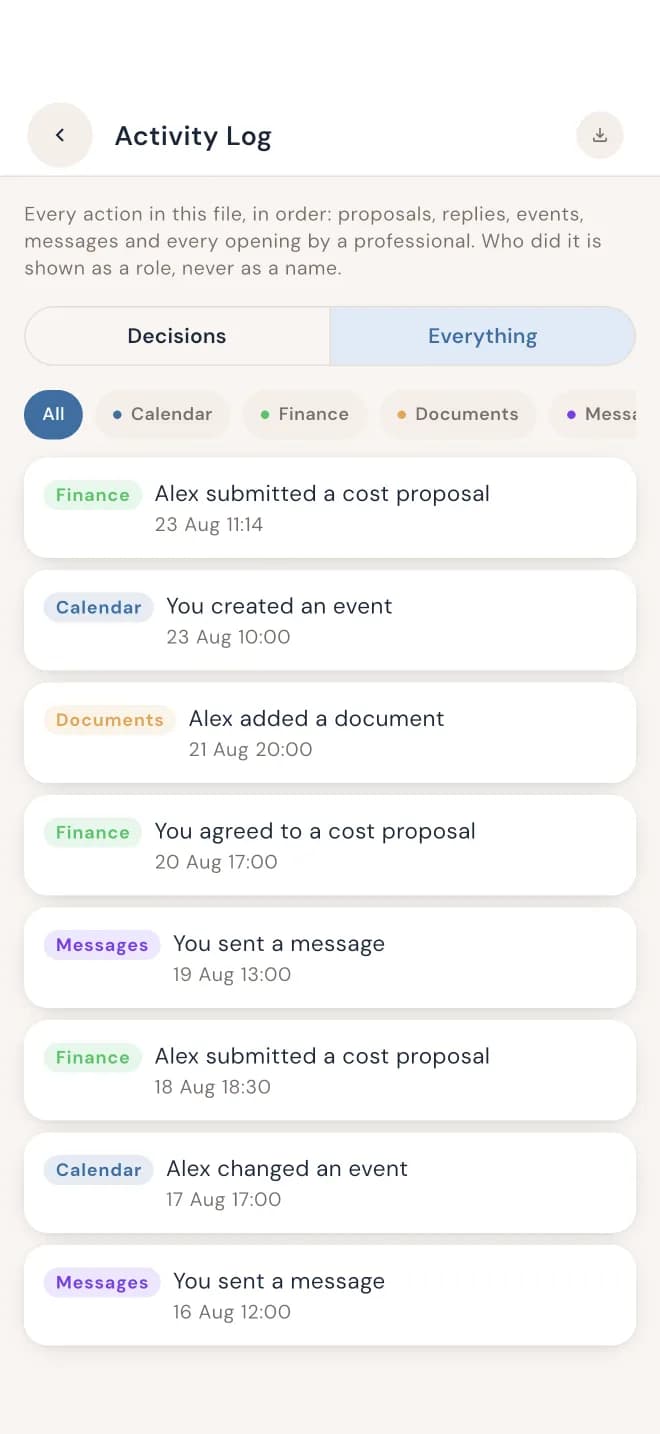
The Activity Log shows every action in order, with the date and time. So you can see what happened, and when, without piecing it together.
Print a report or export it
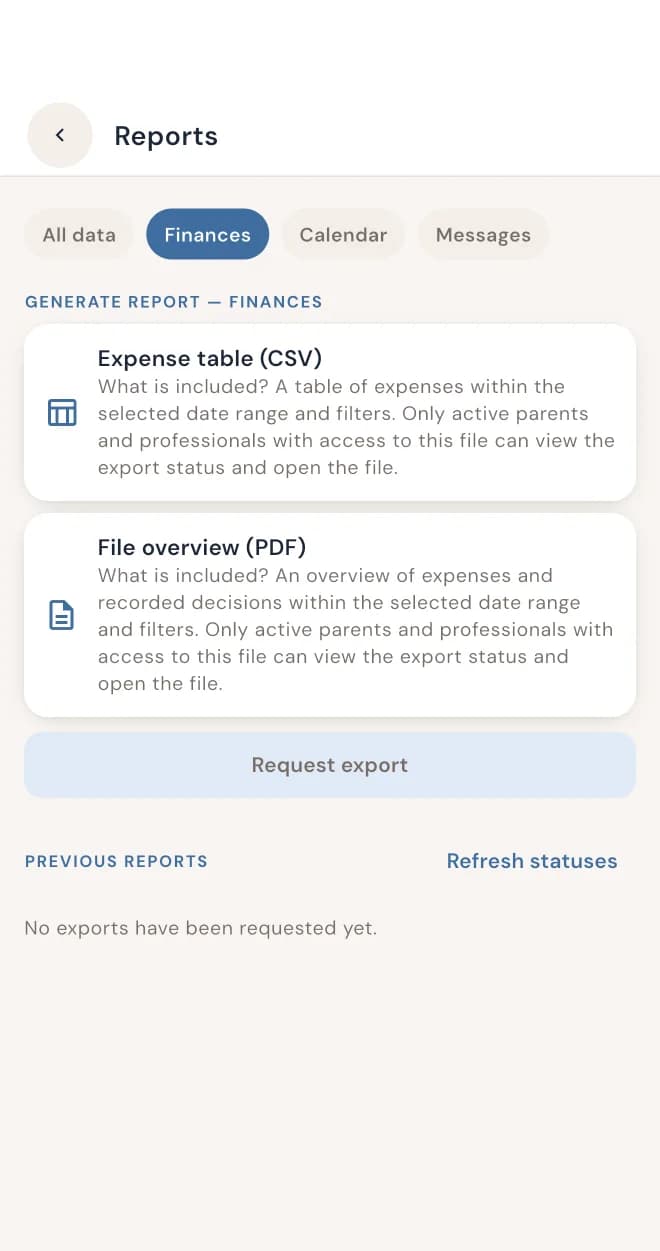
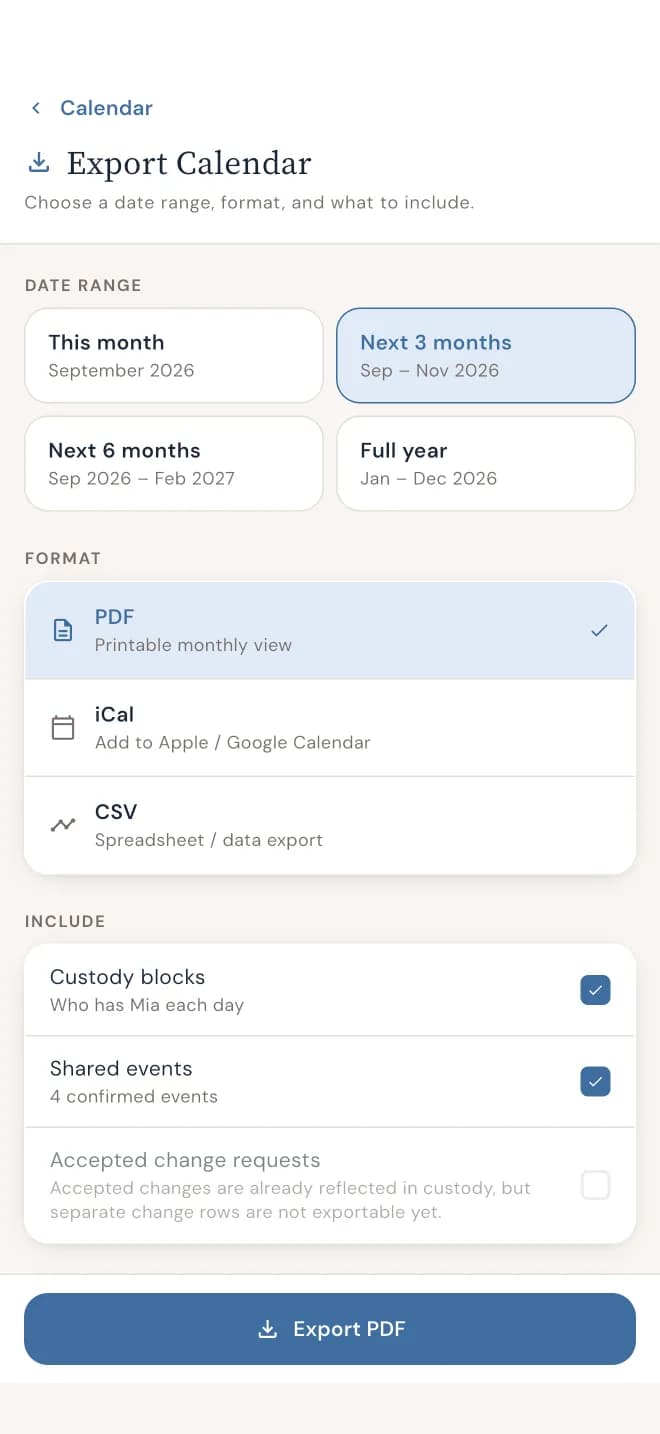
Choose what you need and when it's from. Export and print a PDF report of your schedule changes, costs and messages. Or export the calendar itself as a PDF, an iCal file or a CSV file.
Messages you've marked for yourself stay private. Your marks aren't included when you export or print.
Show it to your mediator
Invite your mediator into DuoWeek and choose what they can see: the calendar, costs or messages. Nothing is shared until you switch it on. Every time they open something, it's logged, so you can see it. You can withdraw access at any time.
Prefer paper? Print the report and bring it along.
What DuoWeek is, and isn't
DuoWeek keeps a dated record of what the two of you entered, proposed and agreed. It doesn't give legal advice, and it doesn't decide what's fair. It can't promise how a mediator, lawyer or court will use a report. That stays between you and your advisers.
Questions parents ask
How do I document co-parenting?
Keep agreements in writing, with the date they were asked and answered, and keep costs with their receipts. In DuoWeek, that happens as you use the app: every proposal, answer, cost and message keeps its date.
What's in the report?
Your schedule changes, costs and messages for the period you choose, with their dates. Your private marks on messages aren't included.
Can I show it to a mediator or lawyer?
Yes. Print the report and bring it along, or invite your mediator into the app and choose which areas they can see.
Is it evidence in court?
That's for the court to decide. DuoWeek keeps a dated record you can print and show, but it doesn't give legal advice and can't promise how a court, lawyer or mediator will use it.
Can something in the history be changed later?
Messages can't be edited once sent, and every proposal and answer keeps its date.
Can I choose which period to print?
Yes. Choose the dates you need before you export or print.