Every change and every cost needs the other parent's OK
In DuoWeek, one parent proposes and the other answers. A swap or a cost only counts once both parents agree. You both see the same thing, and every answer keeps its date.
For iPhone, Android and the web.
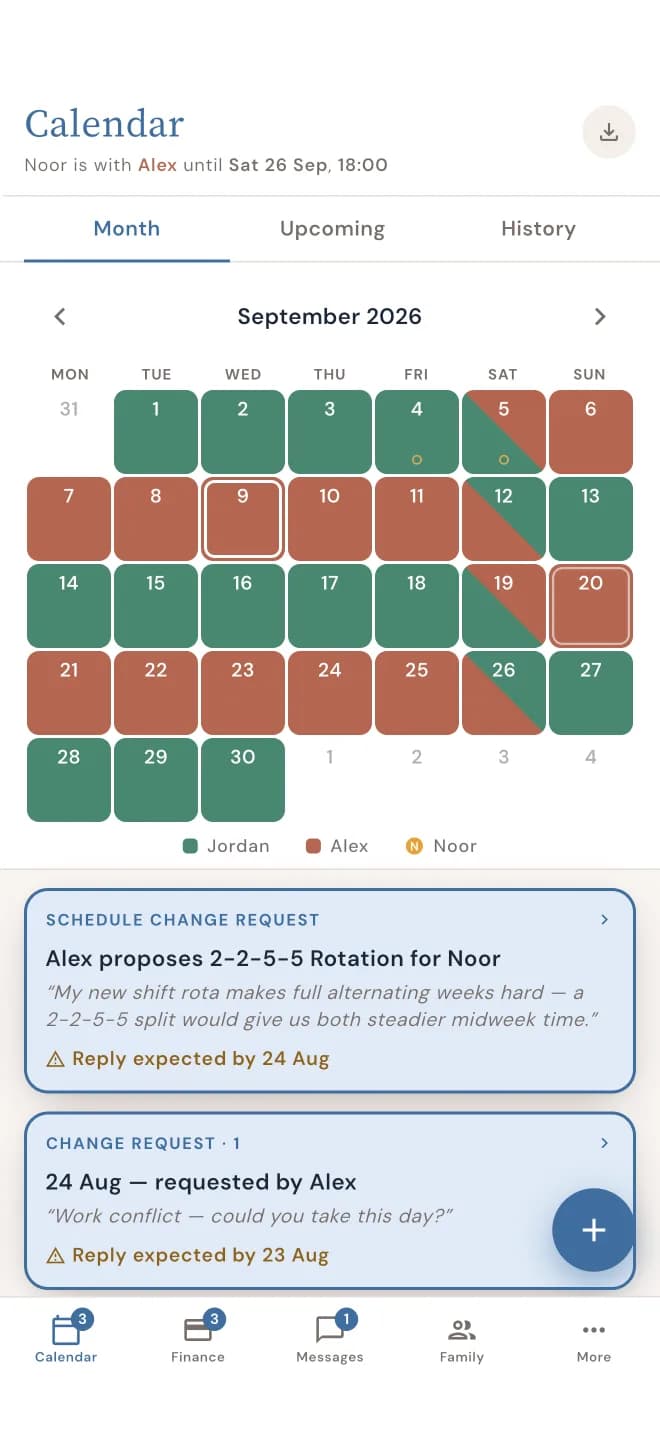
What needs the other parent's OK
Changes to the schedule. Swapping a day, trading a weekend or changing the pattern you follow. A schedule change request only goes into the calendar once it's agreed.
Shared costs. Glasses, a school trip, the football club. An expense request is only split once the other parent agrees to it.

Waiting, Agreed, Declined
Every proposal has one of three answers, and you both see the same one.
Waiting. You've sent it, and the other parent still has to answer. On their side, it shows under Waiting for you.
Agreed. They said yes. The change goes into the calendar, or the cost is split the way you arranged.
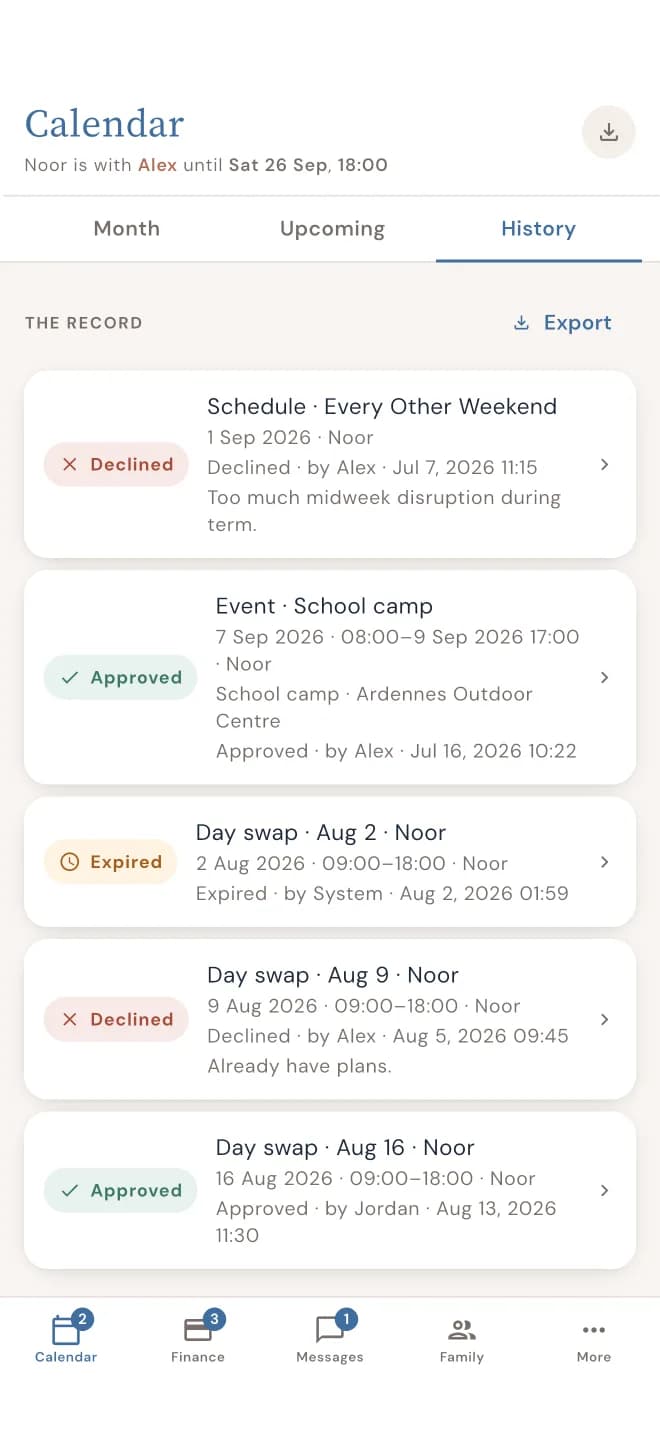
Declined. They said no. Nothing changes. The proposal stays in History with their answer, and you can send a new one.
Why agreeing first helps
No more "I never agreed to that." A change is either agreed or it isn't, and you can both see which. You don't have to scroll back through months of texts or keep screenshots just in case. You both look at the same calendar, the same costs and the same answers.
See what was agreed, and when
Each proposal shows who sent it and when. Each answer shows who gave it and when. You find them in History, for the calendar and for costs. And when you need to show what was agreed, you can print a report.
When they don't answer
Life gets busy. While something is waiting for the other parent, DuoWeek sends a reminder by notification or e-mail. You don't have to chase, and nothing changes in the meantime.
Where you'll use it
The calendar. Day swaps, weekend trades and changes to the pattern all go through the other parent first.
Shared costs. The dentist, glasses or a school trip: each cost waits for the other parent's OK before it's split.
Questions parents ask
Can one parent change things alone?
No. A schedule change only goes into the calendar, and a cost is only split, once the other parent agrees.
What happens if the other parent says no?
Nothing changes. Their answer is kept in History with the date, and you can send a new proposal.
What if they don't answer?
DuoWeek reminds them by notification or e-mail while your proposal is waiting. Until they agree, nothing changes.
Where can we see what was agreed?
In History, for the calendar and for costs. Every proposal and answer shows who gave it and when, and you can print it as a report.
Do costs need an OK too?
Yes. A cost is only split, and only counts as owed, once the other parent agrees.